
Reading the results
Open a question by clicking its text, or the chart icon in the list of questions.
From the list of profiles to a revealed quotation, the transcript and the recording.
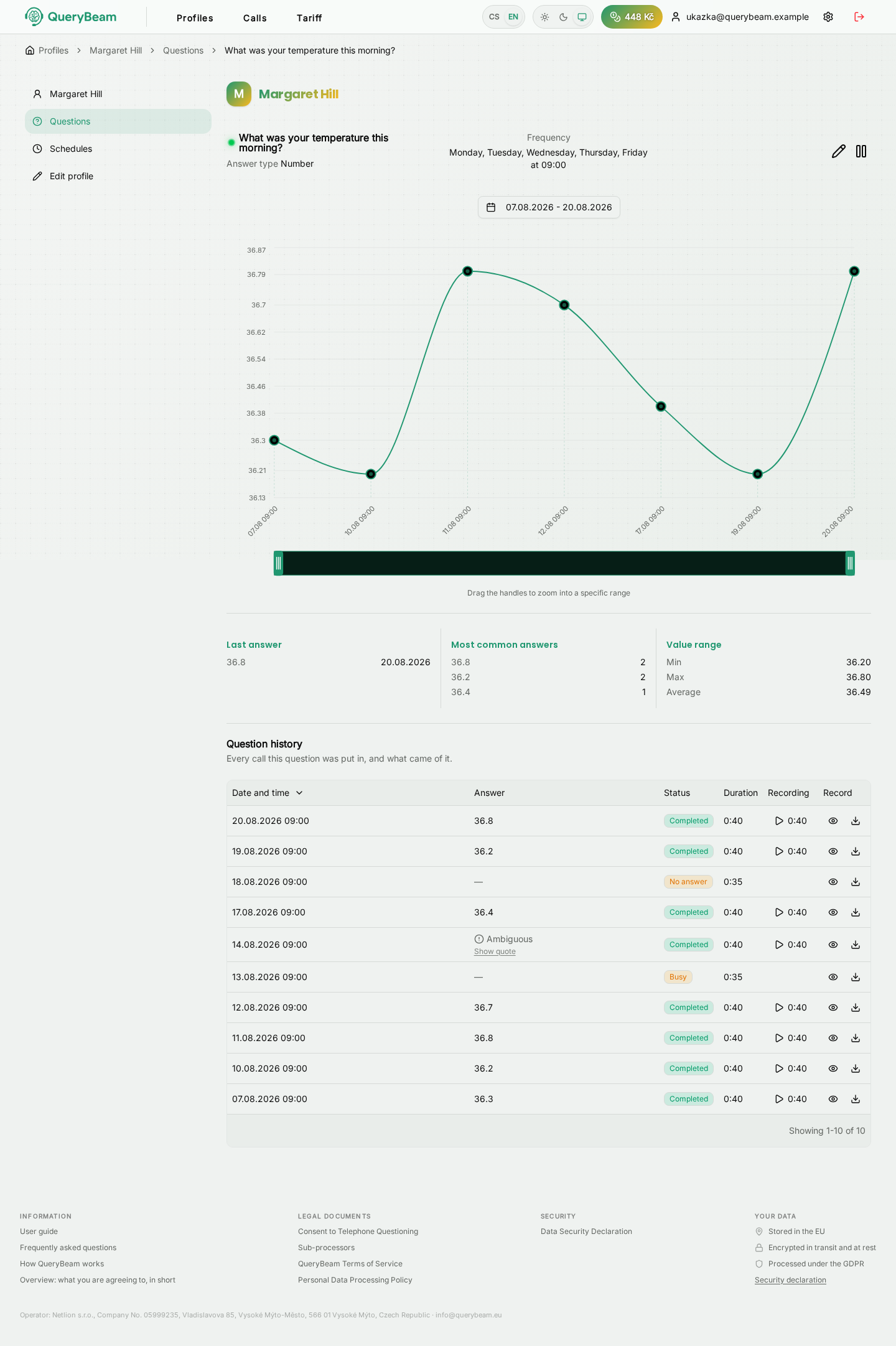
A numeric question. The trend at the top, the summary in the middle, every call separately below.
The trend over time
The shape of the chart follows the answer type: a numeric question gets a line chart, yes/no a grid of tiles, text a list.
Above the chart is the date range, which you can narrow. On the numeric chart the range can also be zoomed by dragging the handles below it.
The line is only a display of values. The service writes no "improvement" or "deterioration" beside it, computes no score and compares nothing against thresholds. What follows from it is your decision.
The summary
Three columns under the chart. What is in them depends on the answer type:
The question's history
The table at the bottom is the heart of the page: every call in which the question was asked, and what came of it.
The quotation: the check the whole thing rests on
Extracting a value from free speech is done by a machine and is not error-free. That is why the verbatim sentence it came from is stored with every answer.
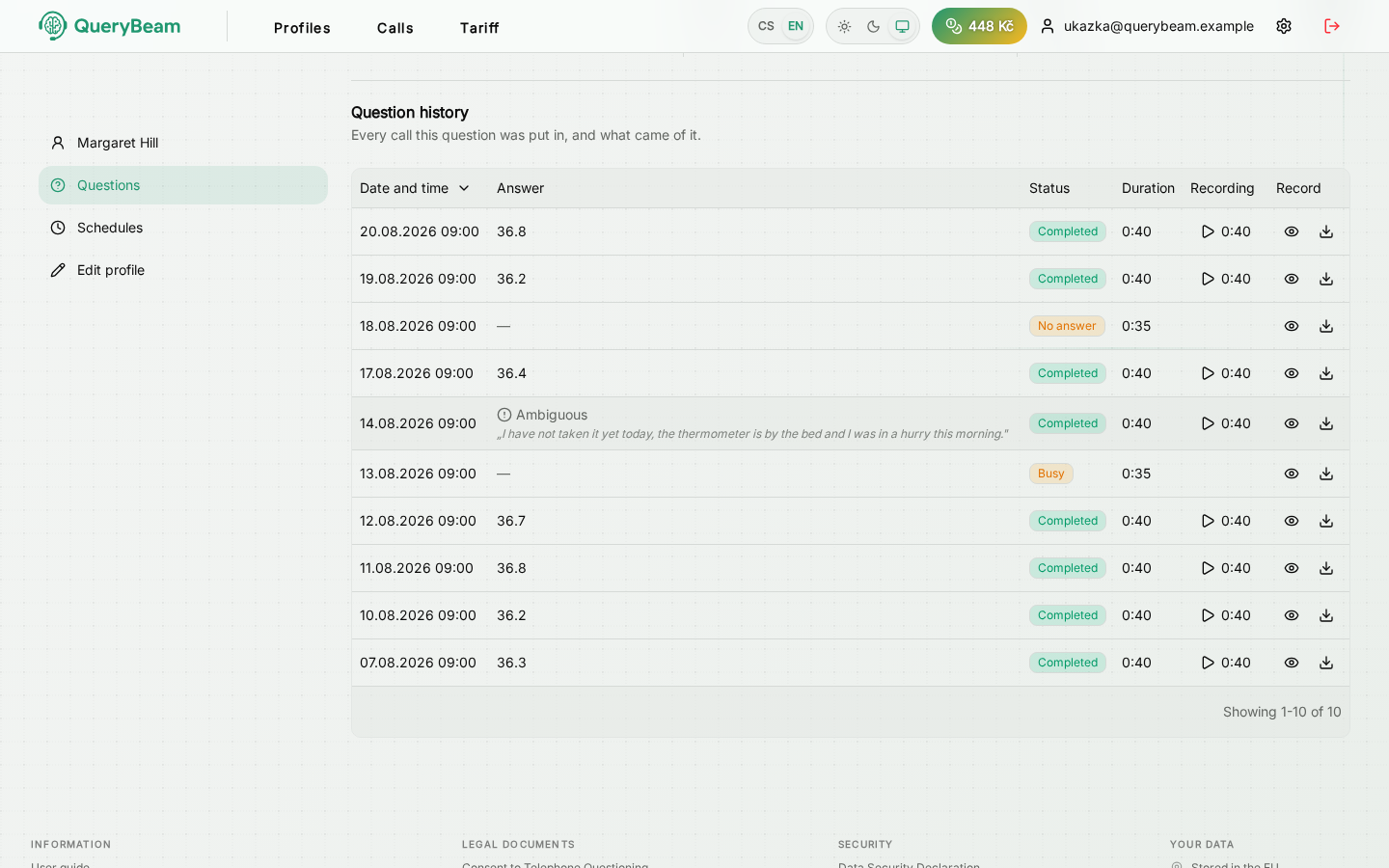
The quotation revealed. Verbatim what the called person said.
The row expands, and inside it is Show quote. Two steps on purpose: releasing a quotation is recorded, so it is not on the way past.
Before you do anything significant on the basis of a value, compare it with the quotation. If the two do not match, or the quotation is missing, check the content against the call record or directly with the called person.
The quotation is also the longest-kept record of the called person's own words — it stays with the value for as long as the value exists, which is years after the recording is deleted.
Recording and transcript
The recording plays straight in the row; the transcript opens with the eye icon and downloads with the arrow.
The transcript opens as the conversation it was — who said what, in order, with the time beside each turn. Playback and the download sit in there beside it, so neither sends you back to the table.
Both are kept for 12 months from the call and then deleted. After that the answer keeps its value and its quotation; the recording says when it was deleted.
If a complaint or dispute is running on a call, ask us to hold the deletion at info@querybeam.eu before the period expires — afterwards the recording is irreversibly gone and cannot be brought back.
Call statuses
Calls not answered, calls to a busy number and unsuccessful calls are not charged.