
Editing and deleting
Edit profile on the left of the profile. Besides the ordinary details, this is where two things live that you will need when the called person asks you something under the GDPR.
Changing the details, handing the data over, and deleting the profile.
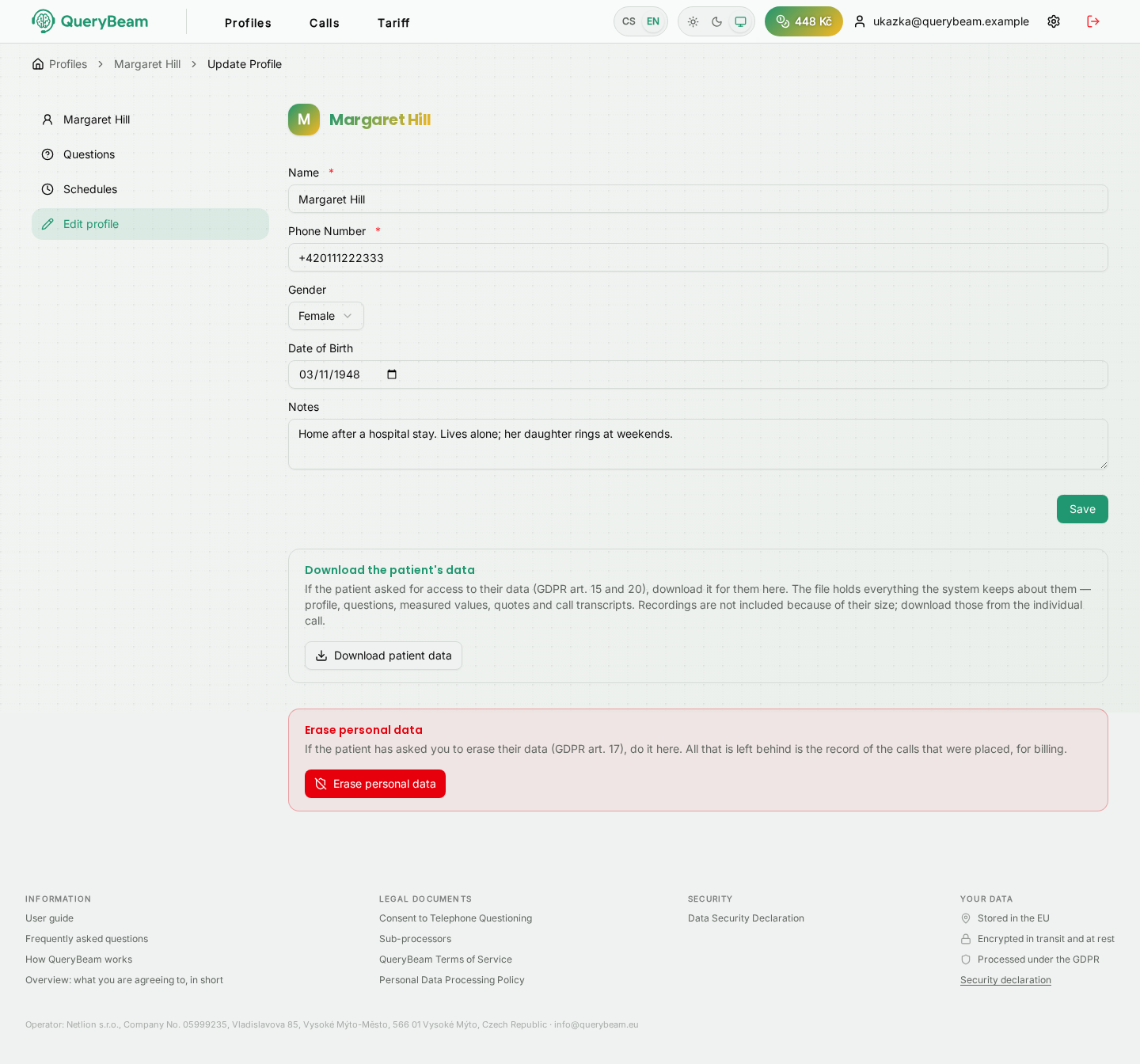
Editing a profile. The details at the top, the data download and erasure below.
Editing the details
Name, telephone number, sex, date of birth and notes. The Save button below the form.
Consent belongs to the telephone number, not to the profile. Enter a different number and the verification falls and has to be done again — somebody else may be on the new number. Until then nothing is called.
Downloading the profile's data
If the called person asks for access to their data (Art. 15 and 20 GDPR), you hand it over with the Download profile data button. The file contains everything the system holds about them: the profile, the questions, the recorded values, the quotations and the call transcripts.
Recordings are not in the file, because of their size. They are downloaded one at a time from the individual call — see The call log.
The disclosure is recorded. It is the proof that you complied with the request, and it is kept indefinitely.
Erasing personal data
If the called person asks for erasure (Art. 17 GDPR), use the red Erase personal data button. The application asks you to type the profile's name back; there is no way to undo it.
Irreversibly gone: the name, telephone number, e-mail, date of birth and notes. The call transcripts and the verbatim quotations. The recordings. The scheduled calls.
What stays: a record of when calls were made and how long they lasted. Nothing in it points at a particular person and it serves for billing.
The "keep the recorded values" switch
Before confirming, you decide what happens to the recorded values and the questions that produced them.
On — the values and questions stay as medical records. Under Section 53 of the Health Services Act you have a duty to retain records, and the right to erasure does not reach them (Art. 17(3) GDPR). They are not anonymous, though — you know whose profile you erased. Tell the called person that you complied with their request only in part, and why.
Off — absolutely everything is deleted, the recorded values included. Choose this only if the data is not part of your medical records; otherwise you would be breaching the duty to retain them.
When a call is frozen because of a dispute
If a complaint or dispute is running on a call, its transcript and recording are not deleted straight away — the application says so after the erasure. They go once the freeze ends.
Deleting the whole profile
There is no separate button for it: erasing the personal data is deleting the profile. What remains is an accounting line that says nothing about anybody.
If you do not want to delete the profile, only to stop calling it, pause its questions or take their schedule away.